INTRODUCTION
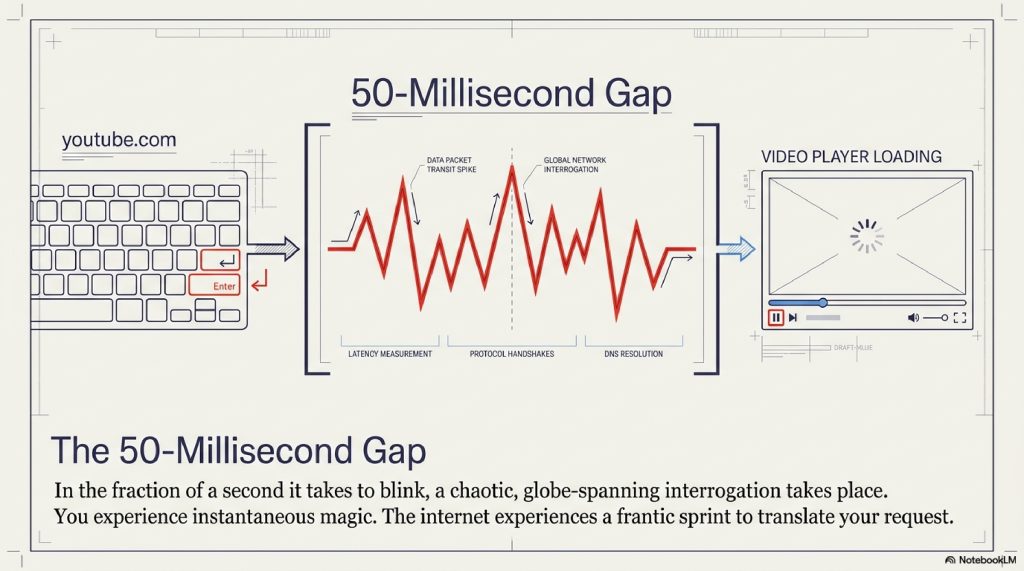
You open your laptop, launch a web browser, and type youtube.com into the search bar. You hit the Enter key.
Almost instantly in a fraction of the time it takes to blink your eyes, the webpage loads. Vibrant thumbnails populate the screen, a video auto-plays, and the comment section renders flawlessly. It feels instantaneous. It feels like magic.
But in that tiny 50-millisecond gap between your finger striking the keyboard and the pixels illuminating your screen, a chaotic, globe-spanning interrogation just took place.
Computers do not speak English. They do not understand the word “YouTube,” or “Google,” or “Wikipedia.” Computers are machines built on cold, hard mathematics. To communicate across the vast physical infrastructure of the internet, they require precise, numerical coordinates. We call these coordinates IP (Internet Protocol) addresses, long, ugly strings of numbers like 142.250.190.46.
If you wanted to visit a website in the very early days of the internet, you had to memorize those exact numbers. Imagine if, to call your mother, you couldn’t just tap her name in your contacts, but had to perfectly recall her 10-digit phone number every single time. Now imagine doing that for the billions of websites that exist today. The internet, as a consumer tool, would have failed instantly.
To save us from this numerical nightmare, engineers created a digital translator. An invisible, hyper-speed switchboard operating silently in the background of every single digital action you take.
It is called the Domain Name System (DNS).
Without DNS, the internet as we know it would collapse in seconds. Emails would bounce into the void. Apps would crash. The digital economy would flatline. Yet, despite being one of the most critical pillars of human communication, the vast majority of people have absolutely no idea what DNS is, or the incredible relay race it runs every time they click a link.
In this deep dive, we are going to slow down those 50 milliseconds. We will travel through fiber-optic cables, meet the “Root Servers” that hold the keys to the web, and explore the brilliant, invisible machinery that translates human thought into digital reality.
TABLE OF CONTENTS
- The Simple Explanation: The Digital Phonebook
- Step-by-Step Breakdown: The 4-Part Relay Race
- Real-World Example: Finding Netflix on a Friday Night
- The Advanced Technical Layer: Anycast, Caching, and UDP
- Common Myths About DNS
- The Future of DNS: Privacy, HTTPS, and Blockchain
- Fascinating Facts You Didn’t Know About DNS
- FAQs
- Internal Linking Suggestions
- Conclusion
A. THE SIMPLE EXPLANATION: The Digital Phonebook
To understand the Domain Name System (DNS), you simply need to understand how a traditional phonebook works.
If you want to order a pizza from “Tony’s Pizzeria,” you don’t inherently know their phone number. You know the name of the business, because human brains are exceptionally good at remembering words and stories. So, you open a phonebook, search for “Tony’s Pizzeria” in the alphabetical index, and find the corresponding phone number: 555-0199. You then dial the numbers.
DNS is the automated, hyper-fast phonebook of the internet.
When you type amazon.com (the name), your computer doesn’t know how to reach Amazon’s physical servers. So, your computer sends a lightning-fast request to the internet’s phonebook (DNS), asking, “What is the numerical IP address for amazon.com?”
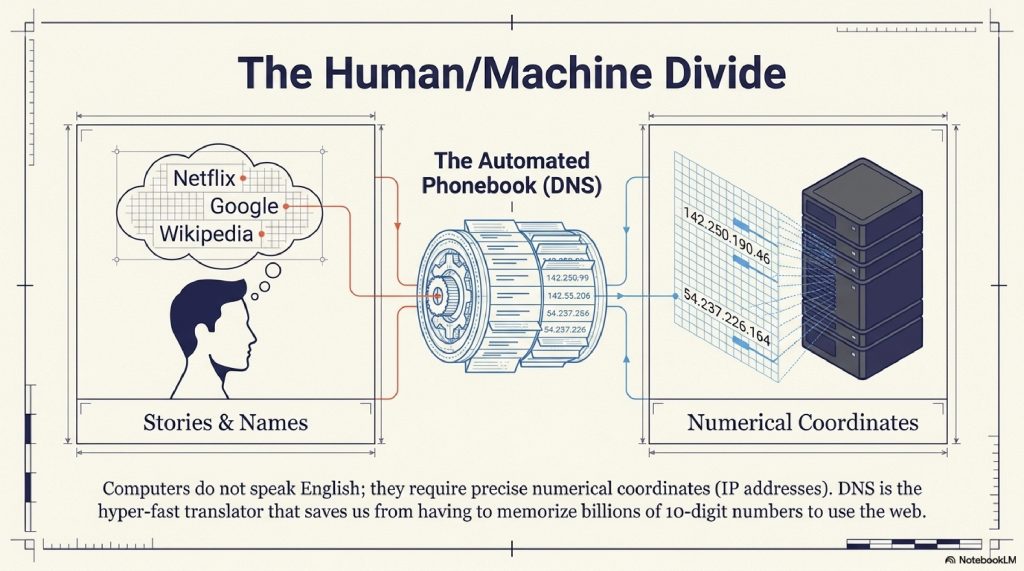
The DNS system looks up the name, finds the number (e.g., 205.251.242.103), and hands it back to your computer. Your computer then uses those numbers to connect to Amazon. You never see the numbers, and the entire process is hidden behind a seamless curtain of user experience.
B. STEP-BY-STEP BREAKDOWN: The 4-Part Relay Race
While the phonebook analogy is helpful, it severely underestimates the sheer scale of the internet. There is no single, giant phonebook file. If there were, the moment a billion people tried to look up a website at the same time, that server would catch fire and die.
Instead, DNS is distributed. It is a highly coordinated relay race involving four distinct types of servers. Let’s look exactly at what happens behind the scenes.
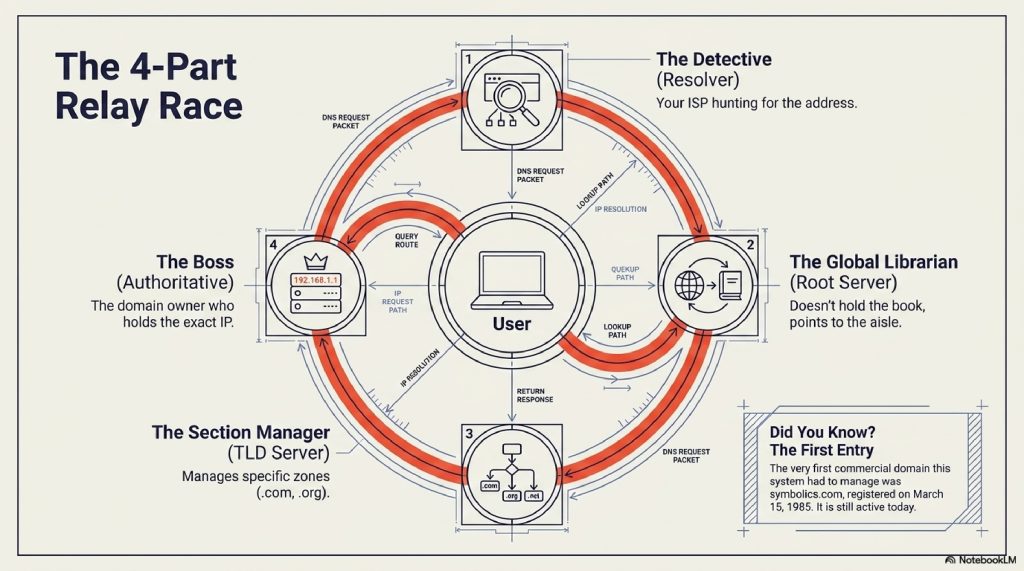
Step 1: The DNS Resolver (The Detective) When you type a URL, your computer first asks its assigned “DNS Resolver” (usually provided by your Internet Service Provider, like Comcast or AT&T). Think of the Resolver as a dedicated detective. Its only job is to hunt down the IP address you asked for. If the detective doesn’t already know the answer from a previous search, it begins the interrogation process.
Step 2: The Root Server (The Global Librarian) The Resolver’s first stop is the “Root Name Server.” The Root Server doesn’t know the exact IP address of the website you want. However, it is the ultimate librarian of the internet. It looks at the end of your request (the .com, .org, or .net part) and says: “I don’t know the exact address for google.com, but I know the guy who is in charge of all the .com addresses. Go ask him.”
Step 3: The TLD Server (The Section Manager) The Resolver is redirected to a Top-Level Domain (TLD) server. The TLD server manages specific categories of websites. There is a TLD server for .com, a different one for .edu, and another for .gov. The .com TLD server looks at the request and says: “I don’t know the exact IP address for google.com, but I know the specific server that Google owns to manage their own addresses. Go ask them.”
Step 4: The Authoritative Nameserver (The House Owner) Finally, the Resolver reaches the Authoritative Nameserver. This server is the absolute boss of the specific domain. When the Resolver asks, “Where is google.com?”, the Authoritative server checks its definitive list, finds the exact IP address (142.250.190.46), and hands it to the Resolver.
The Resolver (The Detective) runs back to your web browser with the IP address. Your browser then connects to the server, and the webpage loads.
C. REAL-WORLD EXAMPLES: Finding Netflix on a Friday Night
Let’s put this relay race into a relatable, real-world context.
It’s Friday night. You want to watch a movie, so you type netflix.com.
If the DNS process had to run the full 4-step relay race every single time anyone, anywhere, clicked a link, the internet would be agonizingly slow. To solve this, engineers built a feature called Caching (short-term memory).
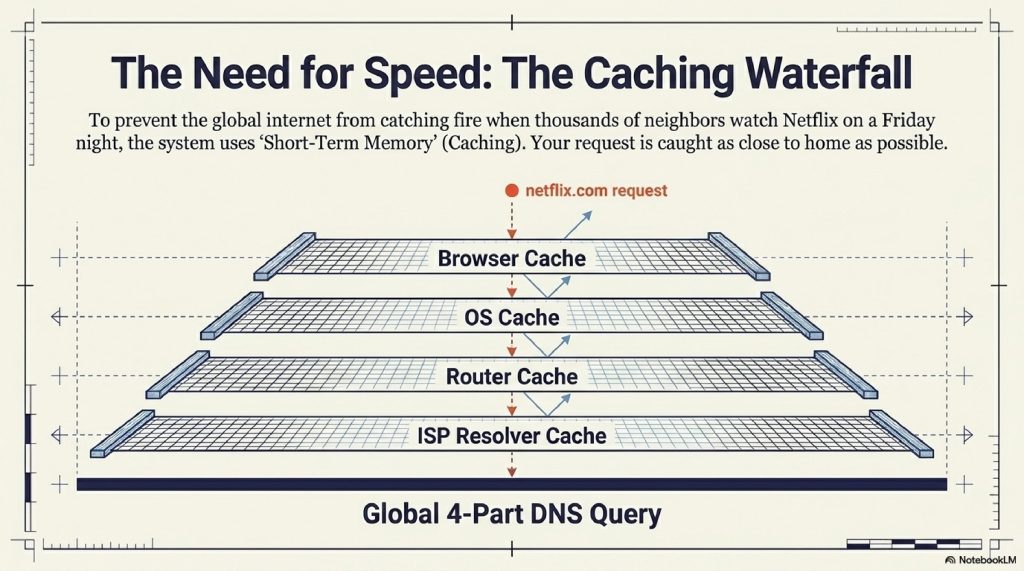
- Browser Cache: Before asking the internet, your web browser checks its own memory. “Did we go to Netflix recently?” If you went there yesterday, the browser remembers the IP address and connects instantly. No relay race needed.
- OS Cache: If the browser forgot, it asks your computer’s Operating System (Windows or macOS). The OS has its own short-term memory.
- Router Cache: If the computer doesn’t know, it asks your home Wi-Fi router.
- Resolver Cache: If the router doesn’t know, the request finally leaves your house and hits your ISP’s DNS Resolver. Because thousands of your neighbors also watch Netflix, the ISP’s Resolver almost certainly has Netflix’s IP address saved in its cache. It hands it right back.
The full, 4-step global relay race (Root -> TLD -> Authoritative) usually only happens when you visit a highly obscure website, or a website whose IP address has very recently changed.
D. THE ADVANCED TECHNICAL LAYER: Anycast, UDP, and TTL
For the technologists and curious minds, the rabbit hole goes much deeper. How does DNS handle the staggering volume of global traffic without collapsing?
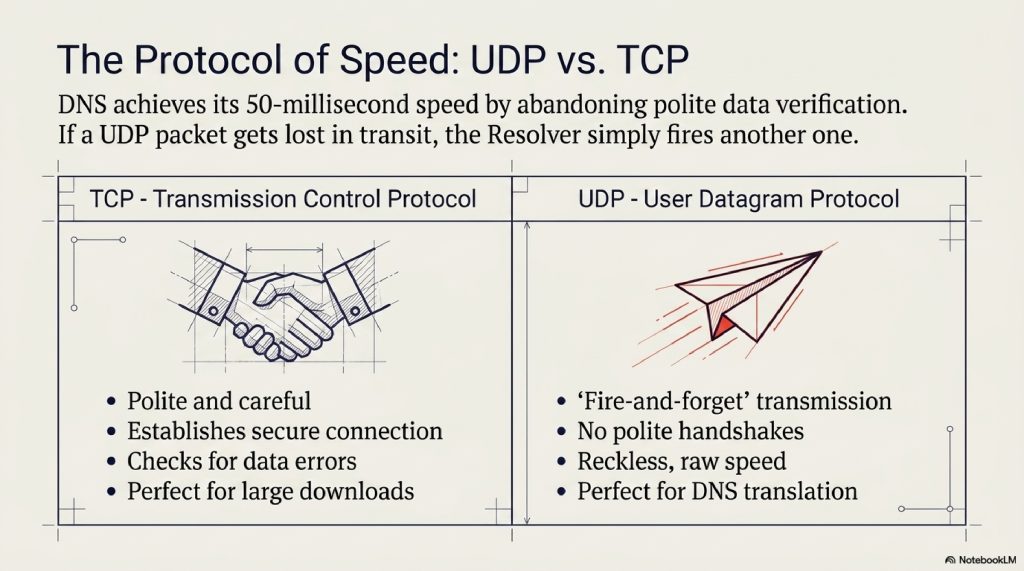
1. The Magic of UDP (User Datagram Protocol) Most of the internet operates on TCP (Transmission Control Protocol). TCP is polite and careful. It establishes a connection, verifies the data was received, and checks for errors. It’s great for downloading files, but it’s too slow for DNS. DNS uses UDP. UDP is the “fire and forget” protocol. The DNS Resolver fires a tiny data packet at a server and doesn’t wait for a polite handshake. If the packet gets lost in transit, the Resolver simply fires another one. This reckless speed is why DNS translation happens in milliseconds.
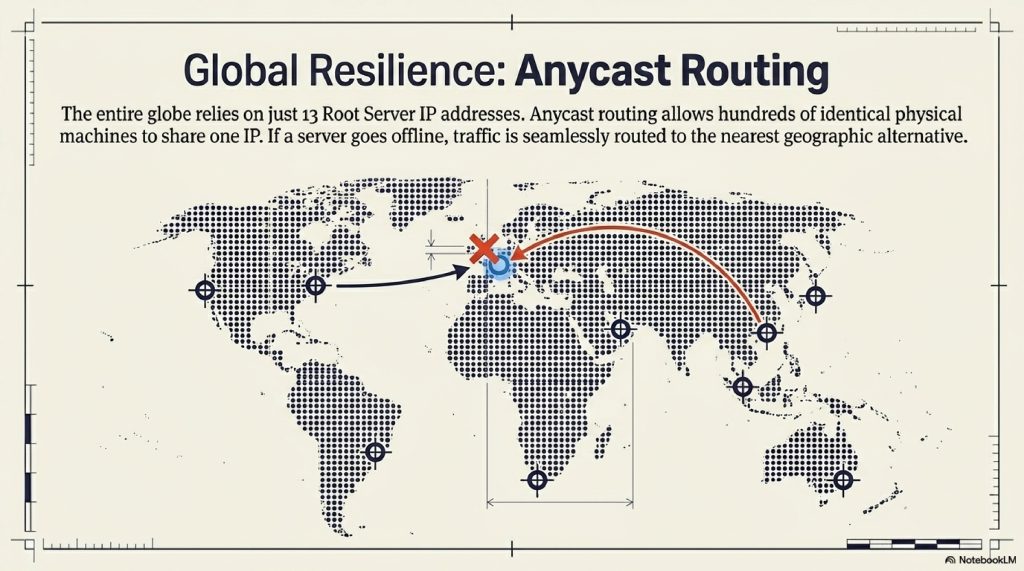
2. Anycast Routing There are only 13 “Root Server” IP addresses in the entire world. Historically, this sounded like a massive vulnerability. If 13 computers went down, the internet died. Today, those 13 IP addresses are protected by Anycast Routing. Through Anycast, hundreds of identical physical servers across the globe all share the exact same IP address. When your computer sends a request to a Root Server, the internet’s infrastructure automatically routes your request to the physical machine closest to you. If a server in London catches fire, traffic is instantly and seamlessly routed to a server in Paris.
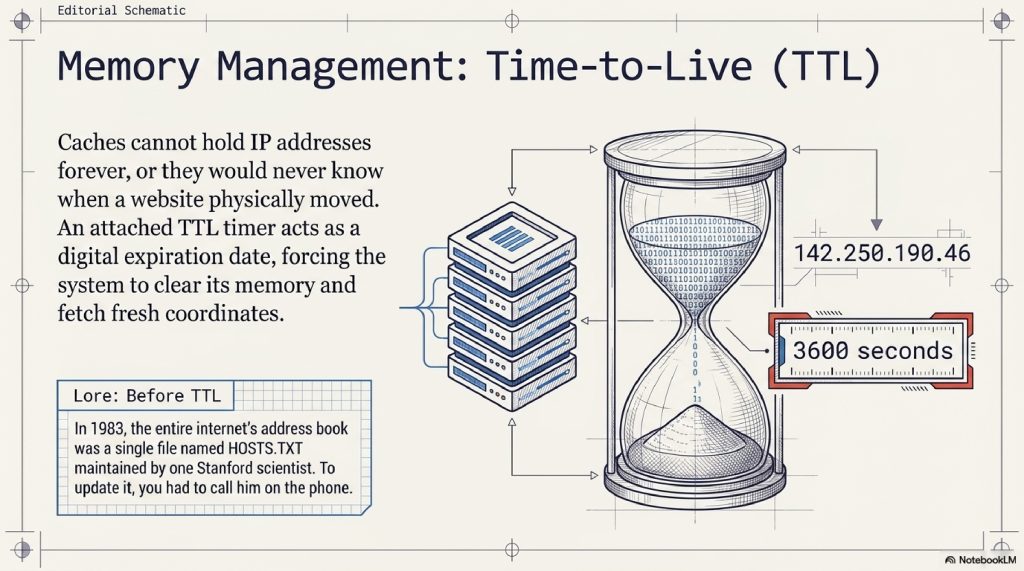
3. TTL (Time to Live) How long does a cache remember an IP address? This is controlled by the TTL. When the Authoritative Server hands out an IP address, it attaches a timer (e.g., 3600 seconds). It tells the Resolver: “Here is the IP address. You can remember this for exactly one hour. After that, you must delete it and ask me again.” This ensures that if a website moves its physical servers, the world will eventually update to the new address.
E. COMMON MYTHS OR MISCONCEPTIONS
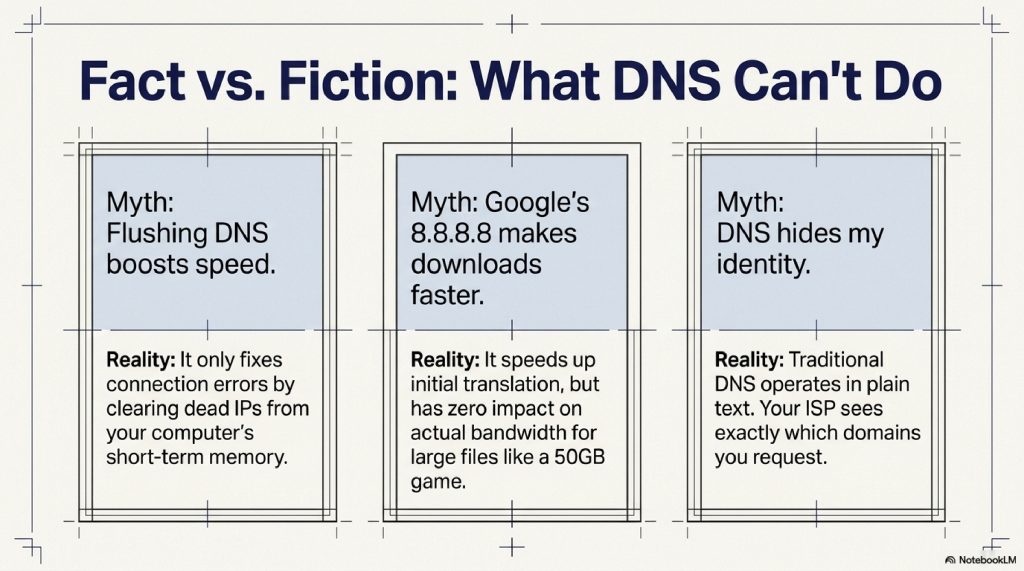
Myth 1: “Flushing my DNS will make my internet dramatically faster.” While running a ipconfig /flushdns command clears your computer’s short-term memory, it rarely speeds up your connection. It is primarily used to fix errors when a website has recently moved servers and your computer is stubbornly holding onto the old, dead IP address.
Myth 2: “Using Google’s 8.8.8.8 DNS or Cloudflare’s 1.1.1.1 will make downloading files faster.” Changing your DNS resolver can make the initial connection to a website slightly snappier (because their servers are incredibly fast at the translation step). However, DNS has absolutely zero impact on your actual bandwidth. It will not make a 50GB video game download any faster.
Myth 3: “DNS hides my identity.” Traditional DNS does the exact opposite. Because DNS queries are traditionally sent in “plain text,” your Internet Service Provider (and anyone snooping on your network) can see exactly which websites you are asking to translate.
F. THE FUTURE OF THE TECHNOLOGY: Privacy, HTTPS, and Blockchain
The traditional DNS system was designed in the 1980s. It was built for resilience, not privacy. Today, the system is undergoing a massive, controversial evolution.
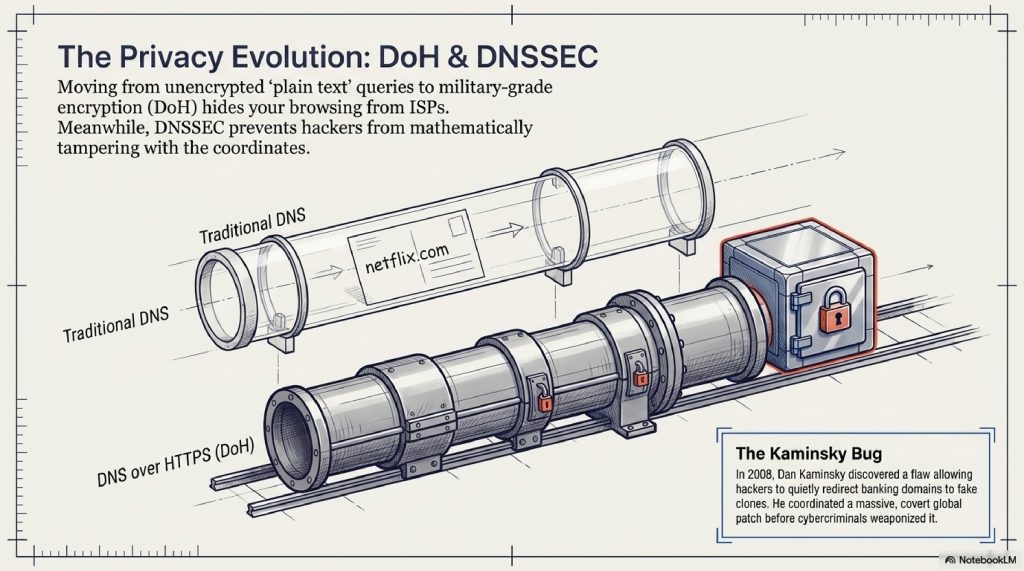
1. DNS over HTTPS (DoH) Historically, DNS queries were sent completely unencrypted. It was the equivalent of sending your browsing history on a postcard through the public mail system. Anyone could read it. The modern web is adopting DoH (DNS over HTTPS). This wraps your DNS request in military-grade encryption. Even your own Internet Service Provider cannot see which websites you are asking to translate, fundamentally altering the landscape of digital privacy and government censorship.
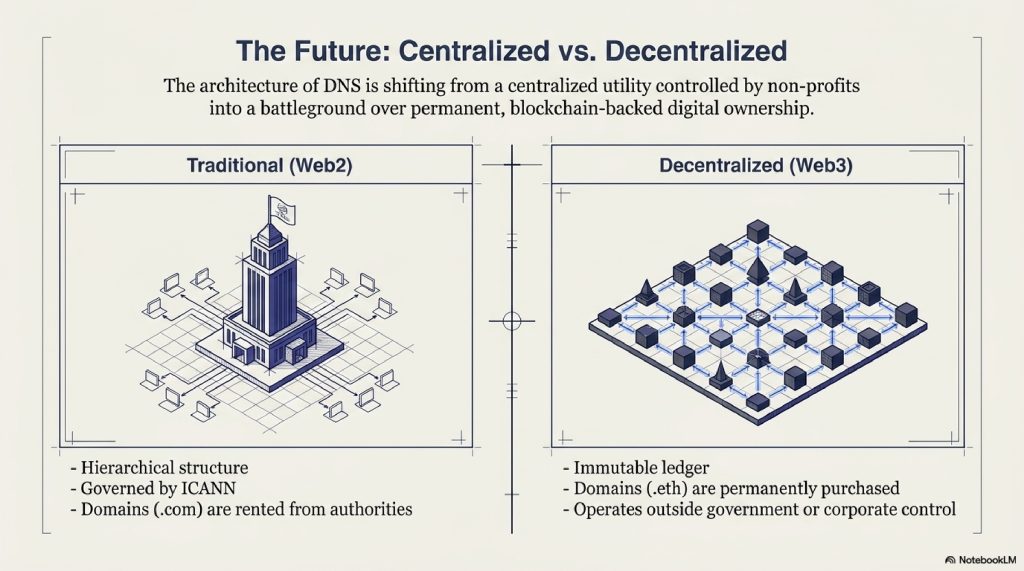
2. Decentralized Domains (Web3 and Blockchain) The current DNS system is hierarchical, controlled ultimately by ICANN (Internet Corporation for Assigned Names and Numbers), a nonprofit organization. Emerging blockchain technologies (like Ethereum Name Service or Unstoppable Domains) are attempting to create a decentralized alternative. Instead of renting .com domains from a central authority, users can permanently purchase a .eth domain recorded immutably on a blockchain, completely outside the control of traditional governments or corporations.
3. The Quantum Threat and DNSSEC As quantum computers threaten to break modern encryption, DNS must adapt. DNSSEC (Domain Name System Security Extensions) is actively being rolled out across the web to mathematically prove that the IP address you receive hasn’t been tampered with by a hacker in transit (a cyberattack known as DNS Spoofing).
G. INTERESTING FACTS SECTION
- The HOSTS.TXT File: Before DNS was invented in 1983 by Paul Mockapetris, the entire internet’s address book was a single text file named
HOSTS.TXT. It was maintained by a single scientist at the Stanford Research Institute. If you wanted to add a new computer to the internet, you literally had to call them on the phone and ask them to update the text file. - The First Domain: The very first commercial domain name ever registered was
symbolics.com, registered on March 15, 1985, by a computer systems company. It is still active today. - The Kaminsky Bug: In 2008, a security researcher named Dan Kaminsky discovered a fundamental flaw in the architecture of DNS that would allow hackers to secretly redirect any website (like your bank) to a fake clone. He worked secretly with global tech giants for months in a massive, covert operation to patch the internet before cybercriminals could figure it out.
H. FAQ SECTION
1. What does the acronym DNS stand for? DNS stands for Domain Name System.
2. What are the IP addresses 8.8.8.8 and 1.1.1.1? These are public DNS Resolvers. 8.8.8.8 is operated by Google, and 1.1.1.1 is operated by Cloudflare. Many users switch to these instead of using their default ISP resolvers for increased privacy, reliability, and speed.
3. Why do I sometimes see “DNS Server Not Responding”? This error means your computer sent out a request to translate a website, but the DNS Resolver failed to send an answer back. This is usually caused by a glitch in your home router, or your ISP’s DNS servers temporarily crashing.
4. What is a DNS cache? A DNS cache is a temporary database maintained by your computer or router that stores the IP addresses of websites you have visited recently, allowing them to load faster the next time.
5. How do I clear my DNS cache? On Windows, you can open the Command Prompt and type ipconfig /flushdns. On a Mac, you open the Terminal and type sudo dscacheutil -flushcache; sudo killall -HUP mDNSResponder.
6. Can a website have more than one IP address? Yes. Massive websites like YouTube or Google have thousands of IP addresses pointing to different servers across the world. DNS intelligently hands you the IP address of the server physically closest to you.
7. What is DNS Spoofing (or Cache Poisoning)? This is a cyberattack where a hacker injects fake IP address data into a DNS resolver’s cache. When you type paypal.com, the poisoned DNS sends you to a malicious, fake version of PayPal designed to steal your passwords.
8. Are IP addresses permanent? Not always. While major tech companies buy permanent “Static” IP addresses, many smaller websites use “Dynamic” IP addresses that change periodically. The DNS system constantly updates to track these changes.
9. What is an A Record? In DNS terminology, an “A Record” is the specific line of data in an Authoritative Nameserver that directly links a domain name (like example.com) to an IPv4 address (like 192.168.1.1).
10. What is the difference between IPv4 and IPv6? IPv4 addresses (e.g., 192.168.0.1) ran out because there are too many devices on the internet. IPv6 is the new format (e.g., 2001:0db8:85a3:0000:0000:8a2e:0370:7334) which contains enough unique combinations to assign an IP address to every single atom on the surface of the Earth. DNS flawlessly translates human words into both formats.
I. OTHER BLOG SUGGESTIONS
To keep readers engaged and improve your site’s SEO architecture, consider linking this article to these related topics:
- How Spacecraft Communicate Across Millions of Kilometers
- How Do VPNs Work? The Complete Guide to Virtual Private Networks
- How Does Wi-Fi Work? The Simple Science of Wireless Data
J. CONCLUSION
The internet is often described as a series of tubes, a cloud, or an infinite web. But beneath the metaphors, the internet is simply millions of computers trying desperately to talk to one another across oceans, satellites, and fiber-optic glass.
In a world driven by unimaginable complexity, the Domain Name System is the quiet, unsung hero holding it all together. It bridges the gap between human memory and machine mathematics. It allows us to navigate a boundless digital universe using simple names, while it handles the grueling, high-speed calculations in the dark.

The next time you type a web address and hit Enter, take a fraction of a second to appreciate the invisible relay race occurring just beneath your fingertips. Long before the pixels even begin to light up your screen, the switchboard of the internet has already raced around the globe and back, ensuring you never have to remember a single number.
Comment