Right now, in the room where you are sitting, the air is alive.
It’s not just oxygen and nitrogen. You are currently being bathed in a relentless, invisible storm of data. High-definition video streams, encrypted bank transfers, frantic group chat memes, and silent software updates are all screaming through your body at the speed of light.
You can’t feel them. You can’t see them. But if you had “digital eyes,” the room would look like a chaotic laser light show. This is the world of Wi-Fi, a technology so ubiquitous that we only notice it when it stops working. We treat it like magic, but it is actually one of the most sophisticated feats of engineering in human history.
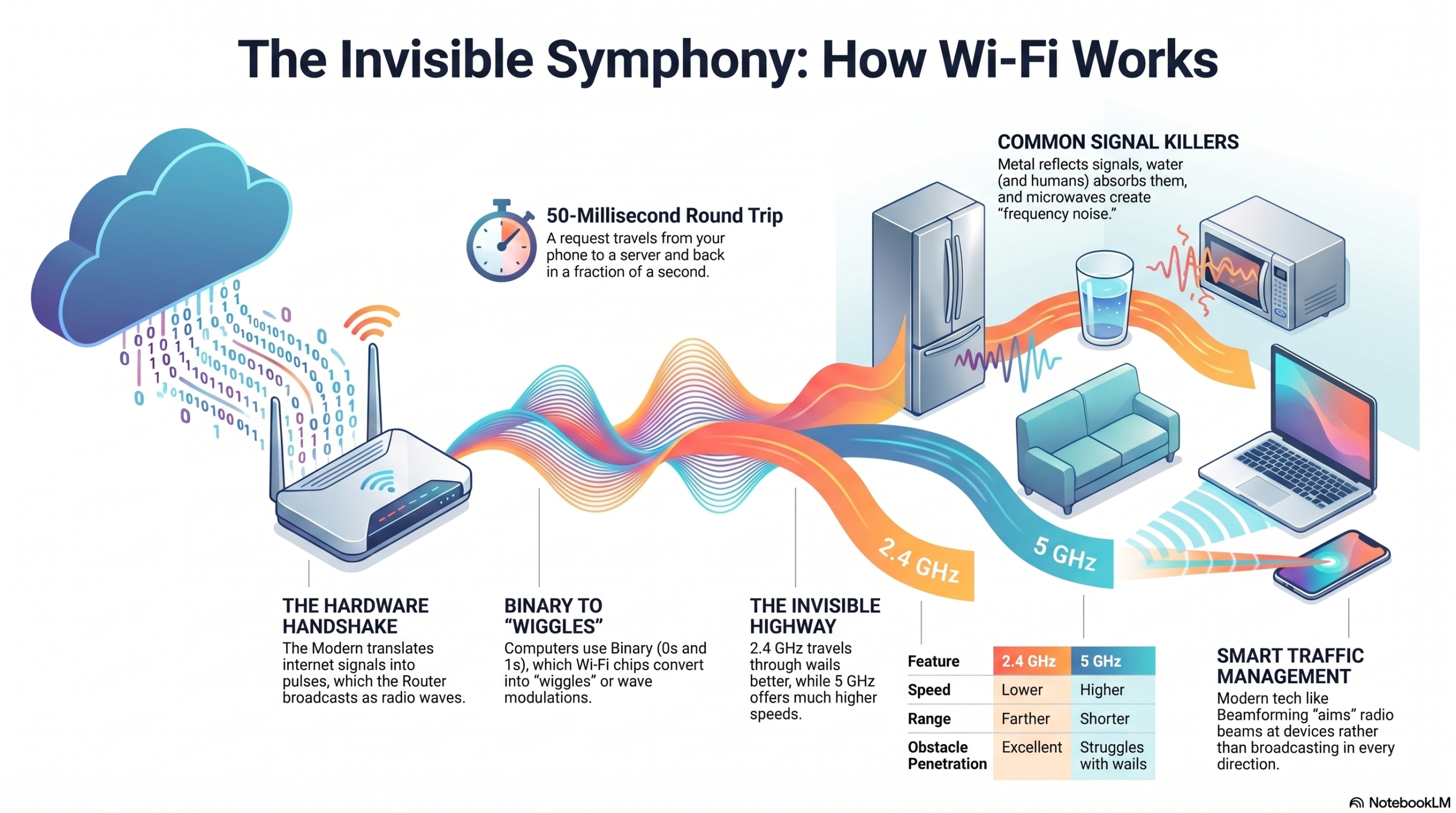
Think about the last time you watched a 4K video on your phone while sitting on your couch. To make that happen, a server thousands of miles away sent a massive file across under-sea fiber optic cables. It reached your home as flashes of light, was converted into electrical pulses by your modem, and then in the most “impossible” step of all was translated into an invisible radio ripple by your router. That ripple traveled through your walls, dodged your furniture, and was caught by a tiny antenna in your pocket, where it was turned back into pixels. All in a fraction of a second.
How does a physical object like a wall not block a digital video? How can your router talk to ten different devices at once without the signals getting “tangled” in mid-air? And why does the microwave occasionally kill your Zoom call?
To understand Wi-Fi is to understand the secret language of the universe: electromagnetism. We are about to peel back the curtain on the invisible strings connecting our world. From the binary heartbeat of a computer to the high-frequency dance of radio waves, this is the story of how we taught the air to carry our thoughts.
TABLE OF CONTENTS
- The Big Picture: What is Wi-Fi, Really?
- The Alphabet of the Air: Understanding Binary and Radio
- The Hardware Duo: Modems vs. Routers
- The Step-by-Step Journey of a Click
- Frequencies and Channels: Why 2.4GHz and 5GHz Matter
- The Invisible Obstacle Course: Walls, Water, and Interference
- Advanced Wizardry: MIMO, Beamforming, and Wi-Fi 6/7
- Common Wi-Fi Myths Debunked
- The Future: Li-Fi and Beyond
- Frequently Asked Questions
The Big Picture: What is Wi-Fi, Really?
At its most basic level, Wi-Fi is a translator. It takes the language of computers (0s and 1s) and translates it into the language of the physical world (waves).
Imagine you are standing on one side of a dark lake, and your friend is on the other. You want to send a message, but you can’t shout. So, you use a flashlight. You turn it on and off in a specific pattern, Morse code. Your friend sees the flashes, translates them back into words, and the message is delivered.
Wi-Fi does exactly this, but instead of using visible light, it uses radio waves. Instead of a flashlight, it uses an antenna. And instead of Morse code, it uses incredibly complex mathematical patterns that can carry billions of “flashes” every single second.
The Alphabet of the Air: Understanding Binary and Radio
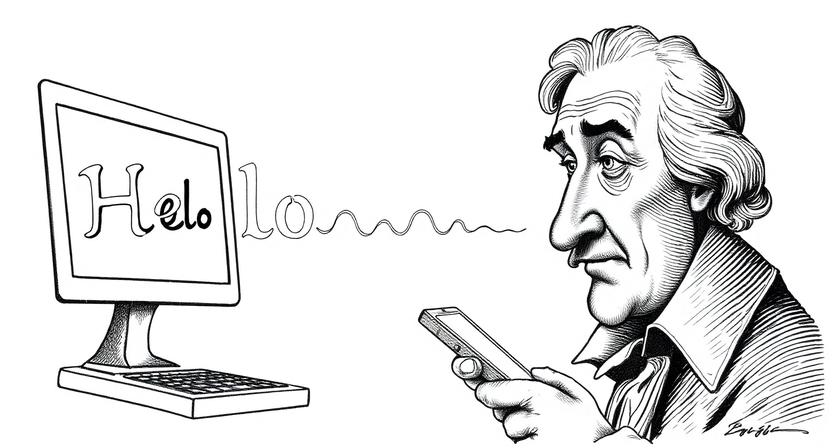
Computers are essentially billions of tiny switches. They only understand two states: On (1) and Off (0). This is Binary. Everything you see on your screen, the colors of a photo, the sound of a voice is just a very long string of these ones and zeros.
To send this “alphabet” through the air, Wi-Fi uses radio waves. Radio waves are part of the Electromagnetic Spectrum, the same family as X-rays, Microwaves, and visible light.
The Anatomy of a Wave
To understand how data “rides” on a wave, you have to look at the wave’s shape:
- Frequency: How fast the wave vibrates. High frequency means the waves are scrunched together; low frequency means they are stretched out.
- Amplitude: How tall the wave is.
Wi-Fi sends data by subtly changing these waves. This is called Modulation. Think of it like a singer changing their pitch or volume to convey different emotions. The router “wiggles” the radio wave in a very specific way, and the receiving device detects those wiggles and says, “Aha! That wiggle means a 1, and that flat part means a 0.”
The Hardware Duo: Modems vs. Routers
Most people use the terms “Modem” and “Router” interchangeably, but they perform two completely different roles in the story of Wi-Fi.
The Modem: The Translator
The Modem (short for Modulator-Demodulator) is your home’s connection to the outside world. It talks to your Internet Service Provider (ISP) via a physical cable (fiber, coax, or phone line). It brings the internet to your house, but it doesn’t know how to share it wirelessly.
The Router: The Traffic Cop
The Router is the brain of your home network. It takes the data from the modem and broadcasts it as a Wi-Fi signal. More importantly, it acts as a traffic cop. If you are watching Netflix and your roommate is gaming, the router ensures the Netflix data goes to your TV and the gaming data goes to their console, preventing a digital “collision.”
The Step-by-Step Journey of a Click
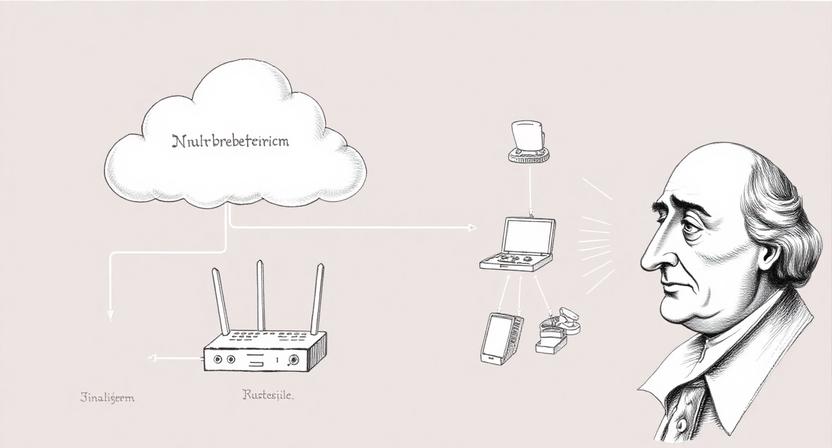
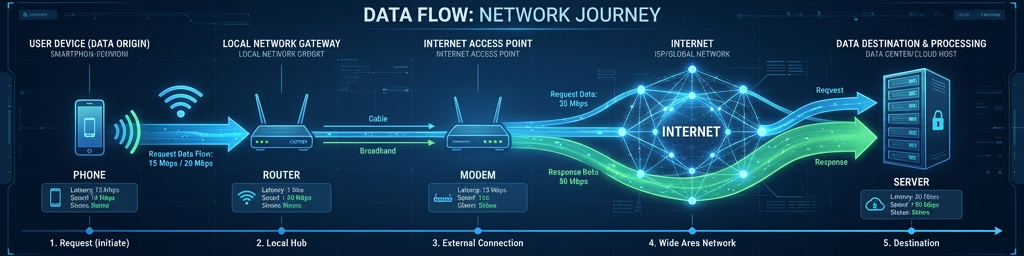
Let’s trace the journey of a single “Request.” Imagine you are on your phone and you click a link to read an article.
- The Request: Your phone’s processor creates a string of binary code (0s and 1s) that says “Show me this website.”
- The Radio Conversion: Your phone’s Wi-Fi chip sends this binary to an internal antenna. The antenna vibrates at a specific frequency (like 5 billion times per second), turning the electricity into a radio wave.
- The Air Travel: The radio wave ripples out from your phone, passing through your wooden desk and bouncing off your mirror until it hits the router’s antennas.
- The Router Reception: The router “feels” the radio wave, converts it back into electricity, and reads the 1s and 0s.
- The Wired Leap: The router sends that data to the modem, which shoots it out of your house through a physical wire to the global internet.
- The Return Trip: The website’s server sends the article data back through the wires, to your modem, to your router, and finally back into the air as a radio wave for your phone to catch.
This entire round trip often happens in less than 50 milliseconds.
Frequencies and Channels: Why 2.4GHz and 5GHz Matter
If you’ve ever set up a router, you’ve seen these two numbers. They represent the “lanes” on the invisible highway of the air.
2.4 GHz: The Long-Distance Runner
The 2.4GHz band has waves that are longer. Because they are longer, they are better at passing through solid objects like walls and floors. However, this lane is crowded. Microwaves, baby monitors, and Bluetooth devices all live here. It’s like a busy backroad, it gets you far, but it’s slow and congested.
5GHz: The Speed Demon
The 5GHz band has much shorter waves. They can carry much more data (higher speed), but they struggle to get through walls. If you move two rooms away, your 5GHz signal might drop significantly. It’s like a high-speed Autobahn that has a lot of “Do Not Enter” signs on the exits.
Channels: Staying in Your Lane
Within these bands are “channels.” If you and your neighbor are both on the same channel, your signals will interfere with each other, slowing you both down. Modern routers are smart enough to scan the air and automatically pick the “quietest” channel.
| Feature | 2.4 GHz | 5 GHz |
| Speed | Lower | Higher |
| Range | Farther | Shorter |
| Solid Obstacles | Better at penetrating | Struggles with walls |
| Interference | High (Microwaves, etc) | Low |
The Invisible Obstacle Course: Walls, Water, and Interference
Why does your Wi-Fi suck in the kitchen? Radio waves hate three things: Metal, Water, and Distance.
- Metal: Mirrors and stainless steel appliances act like shields. They reflect the radio waves back, creating “dead zones.”
- Water: Radio waves are absorbed by water. Since humans are 70% water, a crowded room of people can actually dampen a Wi-Fi signal. Even a large fish tank can block your signal!
- The Microwave Oven: Your microwave operates on the 2.4GHz frequency. When it’s on, it’s essentially “screaming” so loud that your router’s “whisper” can’t be heard by your phone.
Advanced Wizardry: MIMO, Beamforming, and Wi-Fi 6/7
As we demand more speed, engineers have had to get creative.
MIMO (Multiple Input, Multiple Output)
Old routers had one antenna and could only “talk” to one device at a time. They switched between devices so fast you didn’t notice, but it caused lag. MIMO allows routers to have multiple antennas talking to multiple devices simultaneously.
Beamforming
Standard Wi-Fi broadcasts in every direction, like a lightbulb. This is wasteful. Beamforming allows the router to locate your device and “aim” a concentrated beam of radio waves directly at it. It’s like switching from a lightbulb to a laser pointer.
Wi-Fi 6 and 7: The Future of Efficiency
Wi-Fi 6 introduced OFDMA, which allows a single transmission to carry data for multiple devices at once. Think of it like a delivery truck that can stop at three different houses in one trip, rather than returning to the warehouse after every single package.
Common Wi-Fi Myths Debunked
- “Wi-Fi is the Internet.” False. Wi-Fi is just the wireless bridge. You can have a perfect Wi-Fi signal but no internet if your modem is unplugged.
- “Hiding your SSID (Network Name) makes you unhackable.” False. Hackers use tools that can see “hidden” networks easily. Strong passwords (WPA3) are your real defense.
- “More bars always mean faster speed.” False. Bars represent signal strength, not quality or congestion. You can have full bars and zero speed if the network is overloaded.
The Future: Li-Fi and Beyond
We are running out of space on the radio spectrum. The next frontier? Li-Fi.
Li-Fi uses flickering LED lights (invisible to the human eye) to transmit data. Since light doesn’t pass through walls, it’s incredibly secure, and because the visible light spectrum is 10,000 times larger than the radio spectrum, the speeds could be astronomical.
9. FAQs
- Can Wi-Fi work without a modem? Yes, but only for local tasks. You can connect a computer to a printer via a router without a modem, but you won’t have access to the World Wide Web.
- Why does restarting my router fix the internet? It clears the router’s short-term memory (RAM) and forces it to re-scan for the least congested radio channel.
- Is Wi-Fi radiation dangerous? No. Wi-Fi uses non-ionizing radiation, which doesn’t have enough energy to damage DNA. It is much weaker than the light coming from your lightbulbs.
- What is the difference between Wi-Fi and Cellular Data? Wi-Fi uses local unlicensed frequencies (anyone can use them), while Cellular uses licensed frequencies owned by carriers over long distances.
- How many devices can one router handle? Most consumer routers can handle 30-50 devices, but performance drops as more devices compete for “airtime.”
- Does weather affect Wi-Fi? Not inside your house. However, heavy rain can affect long-range outdoor “Fixed Wireless” internet beams.
- What is a Mesh Network? A system of multiple routers that work together to create a single, seamless Wi-Fi blanket over a large home.
- Why is my Wi-Fi slower than my Ethernet cable? Radio waves are subject to interference and physical obstacles; a wire provides a dedicated, shielded path for data.
- What is WPA3? It is the latest security protocol that encrypts your Wi-Fi connection, making it harder for neighbors to “sniff” your data.
- Can I use Wi-Fi on a plane? Yes, the plane uses a satellite or ground-to-air antenna to get internet, then broadcasts it internally via a standard router.
Comment